




How easy is it to put CarPlay in an E36? Asking for a friend...


Photography by J.G. Pasterjak
File this one under a common heading: “Why do things that don’t make your car faster have to be such a pain in the butt?”
But with the off-season here–at least as much of an off-season as we get in Florida–and our BMW 435i project seeing more street duty after its major national events in the fall, we wanted to make a few “quality of life” upgrades to make daily use more pleasurable.
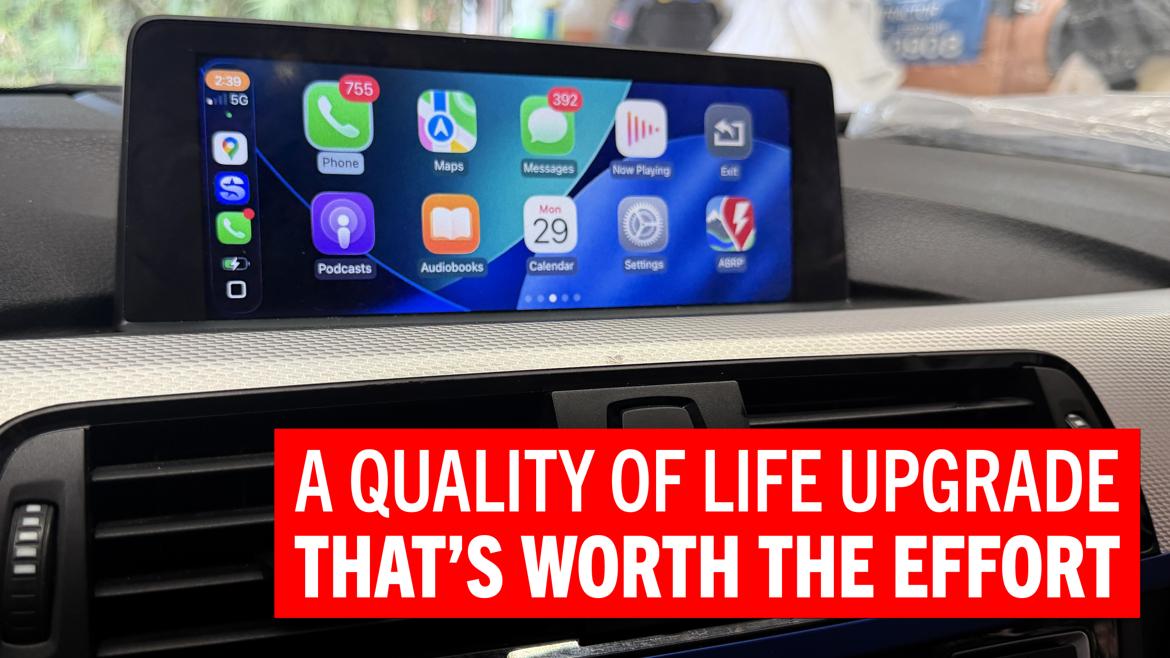
Since daily use of this rather mildly prepared but still highly capable car was already rather pleasurable, our main goal was to integrate Apple CarPlay into the onboard experience.
Now, let’s not turn this into a CarPlay-versus-Android Auto flame war in the comment section (because you Android people are wrong anyway). Instead, let’s assume that what we wanted is “modern smartphone integration” in our semi-late-model BMW.
Should be easy, right?
Eh, it’s trickier than we thought, because BMW just loves to make things complicated. But clever folks have figured out work-arounds, and we leveraged a fairly affordable one to upgrade our 435i.
Apple CarPlay launched in 2014, and Ferrari, Volvo and Mercedes-Benz were the first adopters of the system; more manufacturers followed shortly after. Android Auto dropped a year later in 2015, with the Hyundai Sonata being the first car available with the feature. As with the Apple version of smartphone integration, though, most manufacturers followed suit in short order.
Although the latest trend sees some manufacturers–notably GM–abandoning CarPlay support in favor of bespoke systems once again, we still think CarPlay and Android Auto are excellent ways to integrate the logistics of your life into a place where you spend a lot of time: your car.
Porting your smartphone–the device most people use to keep track of their world and consume media–to your vehicle just makes sense, and we wanted that convenience and functionality for what was becoming a more frequent daily driver.
Unfortunately, BMW was not in that crew of early adopters to the system. In the mid-2010s, most BMWs were equipped with an infotainment system designated NBT that was entirely bespoke and not able to run third-party apps. It wasn’t until BMW launched the NBT Evo system with the 2016 model year that Apple CarPlay and Android Auto were options.
Even if you have an NBT Evo-equipped BMW, you may not have these functions as they were still considered options at that point. Still, they can usually be coded in by a company that’s cracked the code and can unlock these functions.
For us and our NBT system, we’d need another solution, and that’s the MMI box.
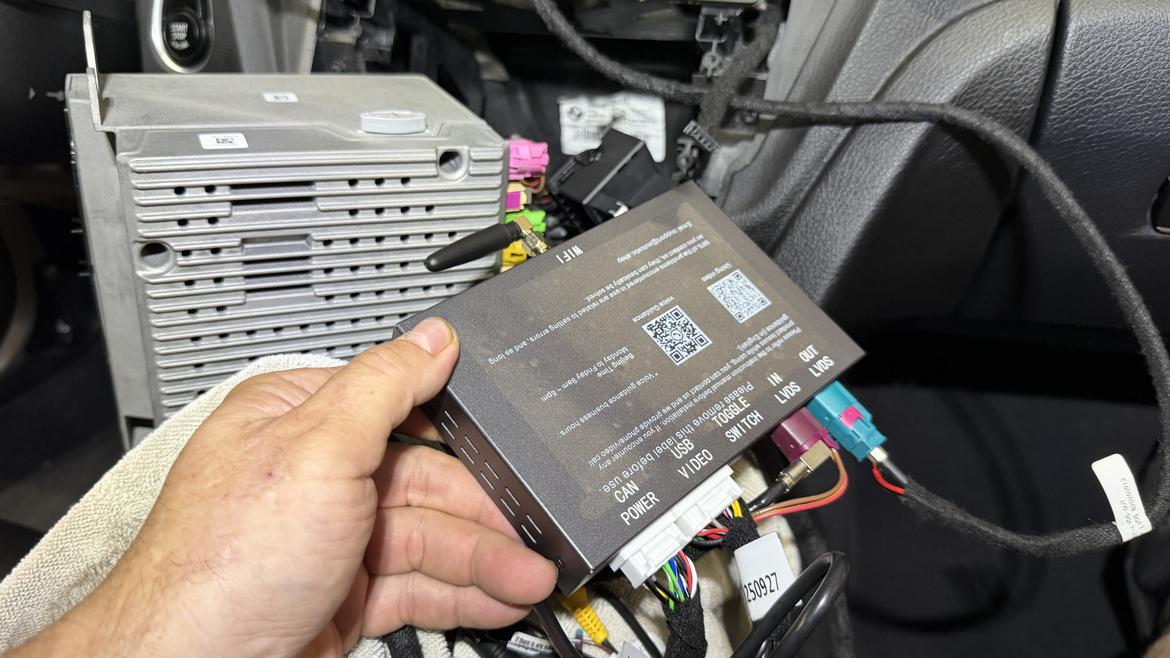
This little fella is the MMI box. It runs Apple CarPlay and lets that app suite talk to your car and your phone. It’s not big, but the wiring harness is bulky.
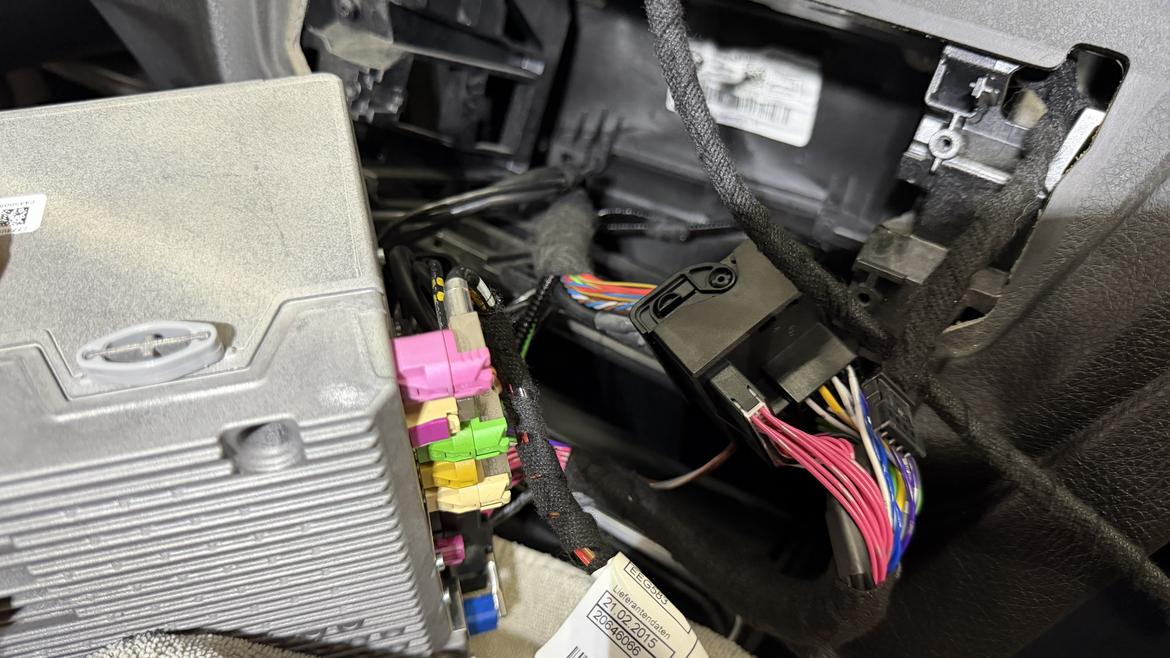
See what we mean? Two of these huge, blocky connectors and their associated wiring need to be jammed back in the dash.
The MMI or “Multi Media Interface” is a fancy name for a box that intercepts the signal between the OEM head unit and the display screen and allows third-party software to essentially run on top of the functions that are already taking place.
In our case, Apple CarPlay runs on our MMI box, which talks to both our iPhone and our OEM head unit to coordinate the signals, then outputs CarPlay video to our stock screen.
MMI boxes are available from a variety of companies, but most seem to feature similar construction and design, meaning most of them are probably white-labeled or built under contract. As such, we don’t really have a recommendation for a particular brand, since what you end up getting from almost anyone will likely be the same thing anyway. We bought our AutoABC unit from an eBay seller for less than $200. We mainly chose that particular seller because they promised quicker shipping thanks to U.S.-based stock.
The whole system includes the MMI box–about the size of a somewhat thin paperback book–and the wiring harness required to connect the unit to your car. All the wiring terminations that we needed were in place, and we didn’t have to do any cutting or splicing, just plugging and unplugging.
Installation is simple but–as are many things on a BMW–also frustrating. Lack of space behind the stock head unit means you need to find a spot for the MMI and the rather substantial wiring harness bundle and large connectors, and that space is simply not accessible through the hole for the factory stereo.
Thankfully, there is a nice little cubbyhole just to the right of the factory head unit, but accessing it requires removal of the glove box, which requires removal of some dash trim and the passenger footwell air bag, because BMW loves jamming stuff into every crevice.
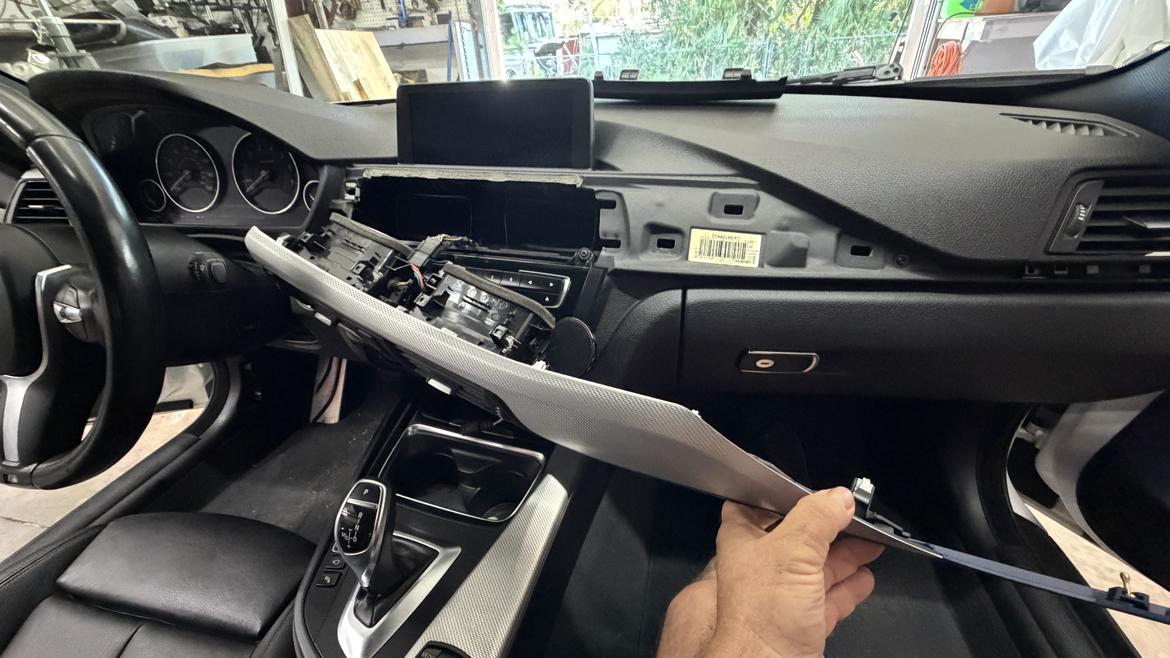
Removing the stock head unit requires pulling off some dash trim. The big chunks are just held in by friction fasteners. Work slowly and use a non-marring prybar so you don’t break clips or scratch the dash.
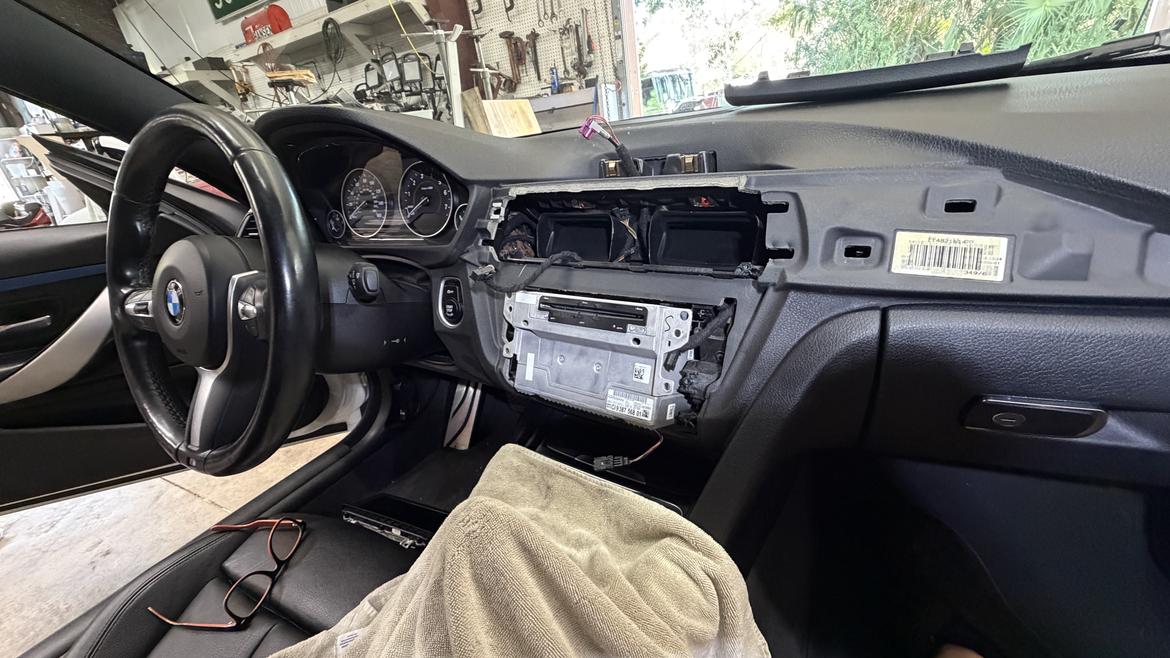
Once the trim is out, you’ll need to remove a bunch of T20 screws to remove the radio/HVAC faceplate and the head unit itself to access the harness connections in the back.
For the install, you’ll need a 10mm socket, T20 and (maybe) T25 drivers. You’ll also need a non-marring prybar to remove dash trim and a couple small picks or screwdrivers for transferring some connectors.
Patience and flexibility are key here, as you’ll be working around corners or upside down in a few spots, particularly when removing the glove box.
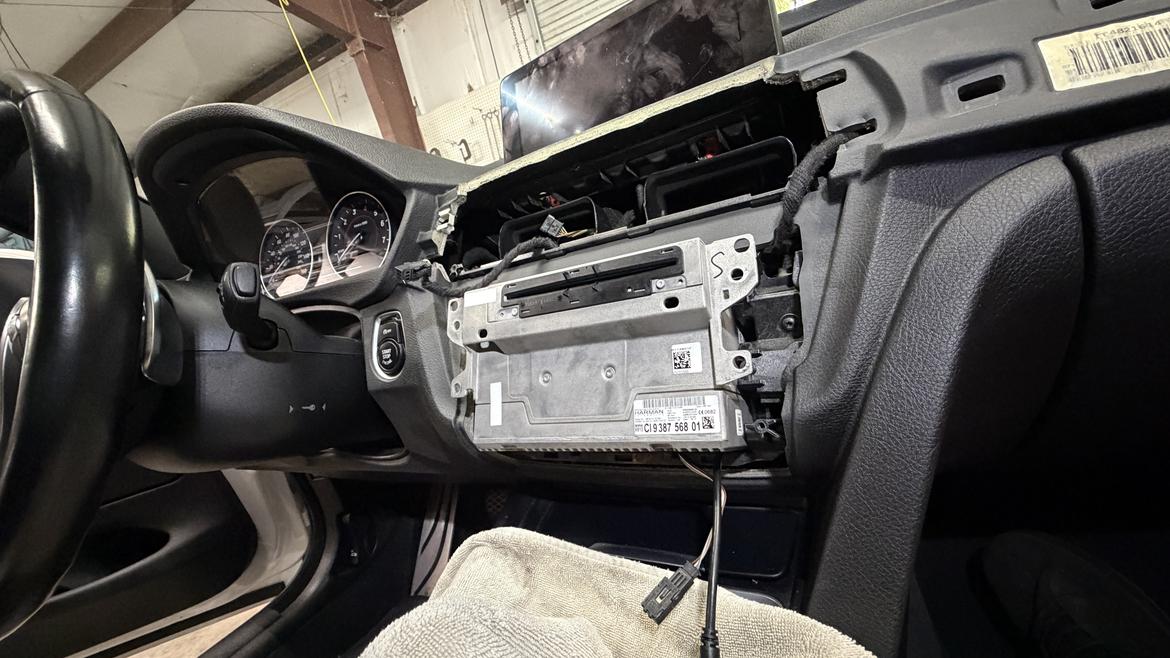
And there just isn’t room behind the stock head unit–unless you want it to stick out like this, which literally no one does.
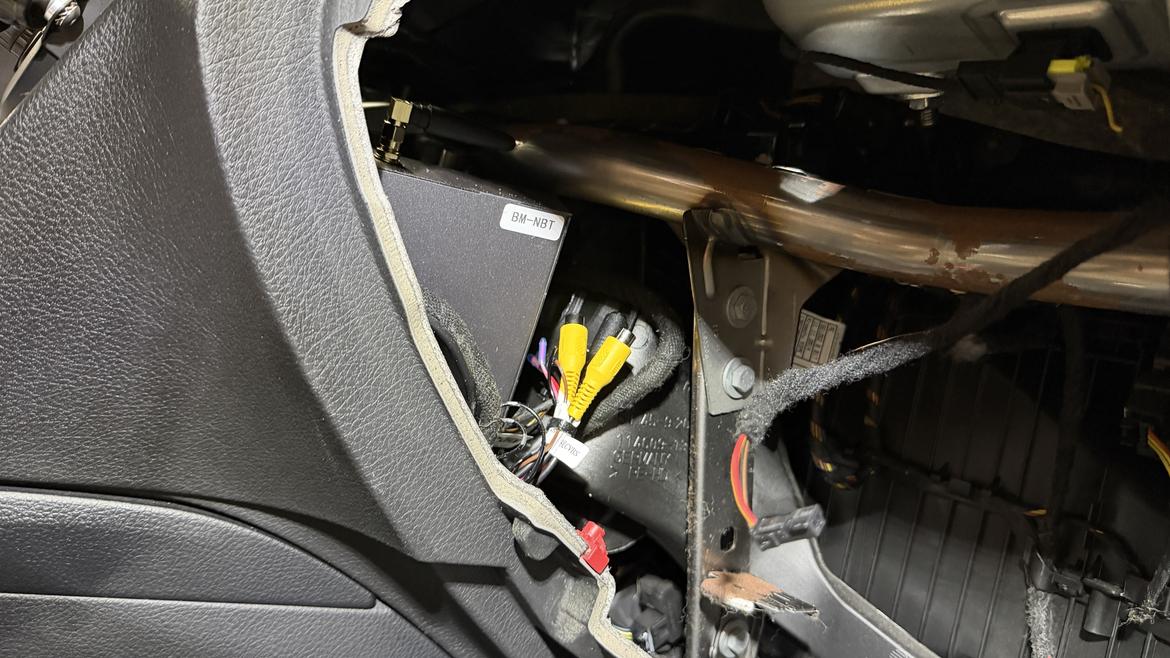
Luckily, there’s some space just to the right of the head unit in a blank spot in the dash. To access it, though, you’ll need to remove the glove box.
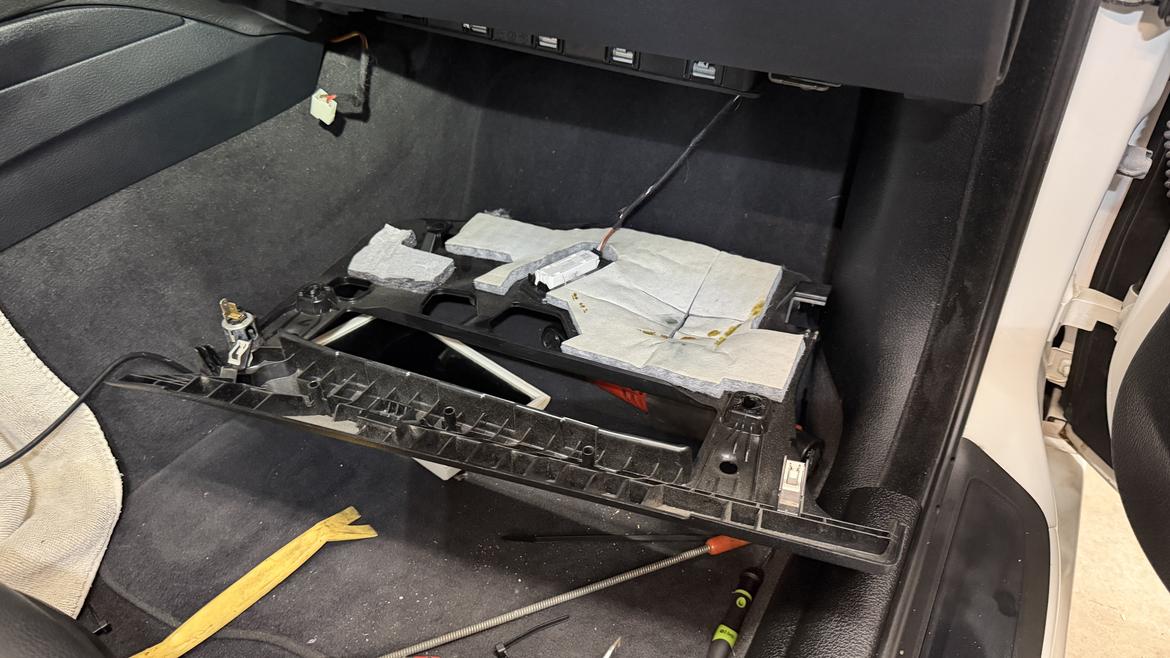
You’ll need to remove the trim under the glove box to gain access to some fasteners as well as the passenger-side footwell air bag. We were able to leave the air bag connected and just lower it to the floor and take the tension off the connection wires. (When you disconnect a BMW air bag–even with the battery disconnected–sometimes the car gives you a safety system warming that you’ll need to reset with a compatible coder when you start it back up.)
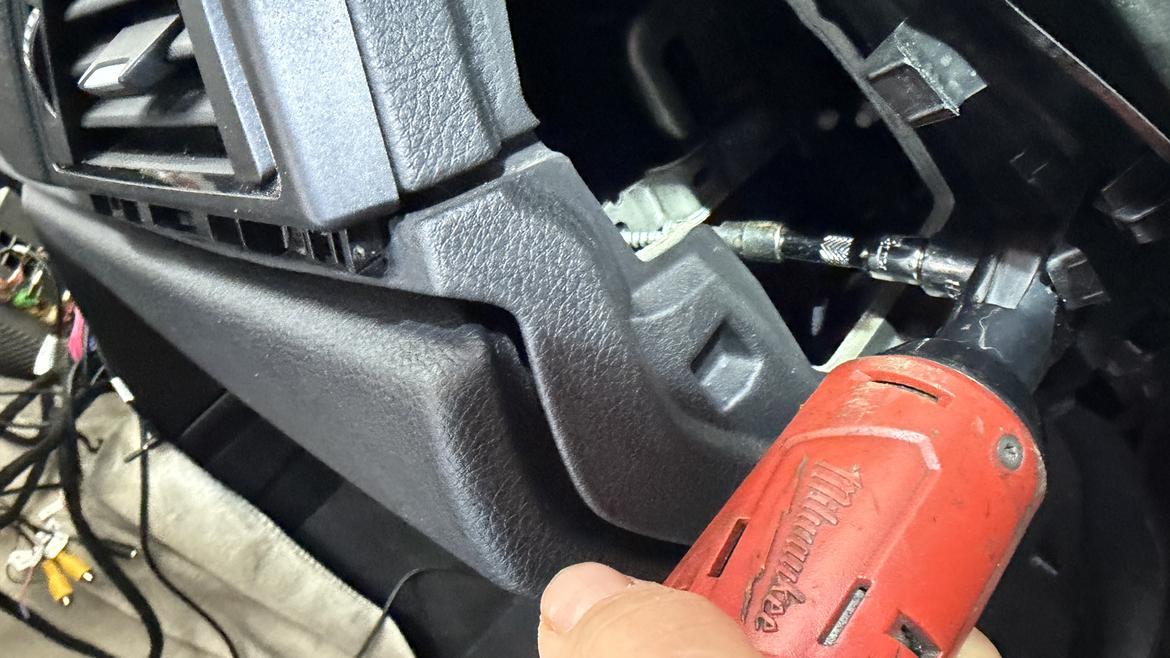
This is the hidden mystery screw, which every BMW job contains. There’s a fastener retaining the outboard side of the glove box, which is accessed through a panel at the side of the dash that touches the passenger door when it’s closed. You’ll need to remove some of the door seal to pop out the panel, and it’s still tough to reach or even take a picture of. On some cars this will be a T20 screw, and on others it will be a T25. Ours was a T25.
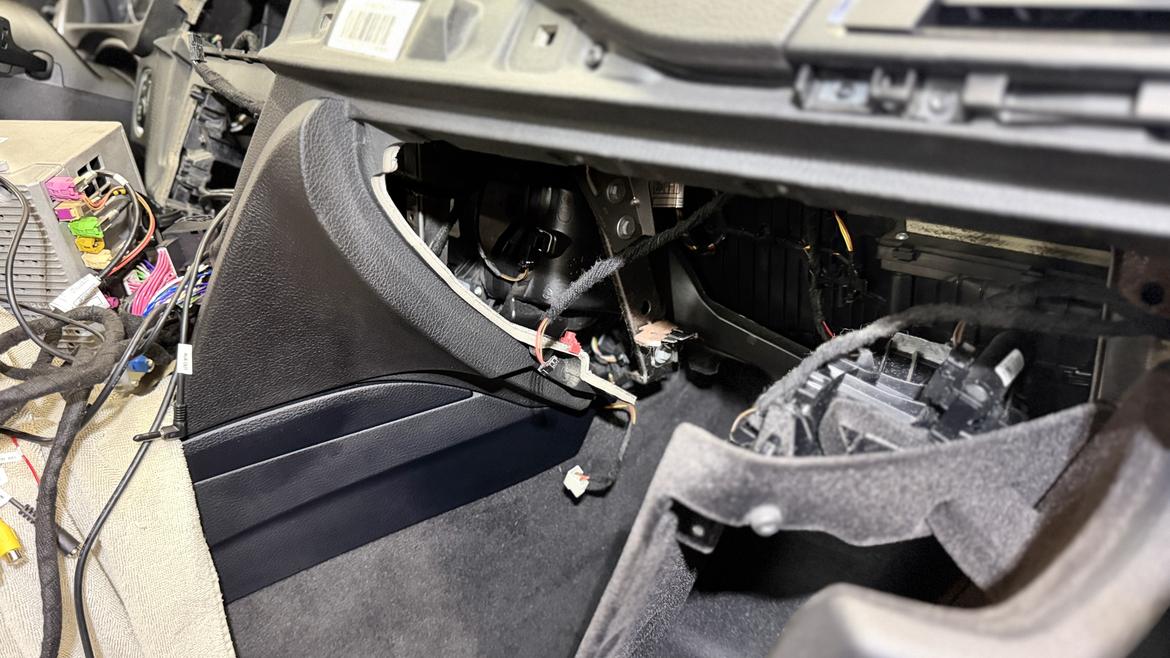
Once you’re able to lower the glove box, you have access to that little hidey-hole which is perfectly sized for your MMI box and the bulky harness.
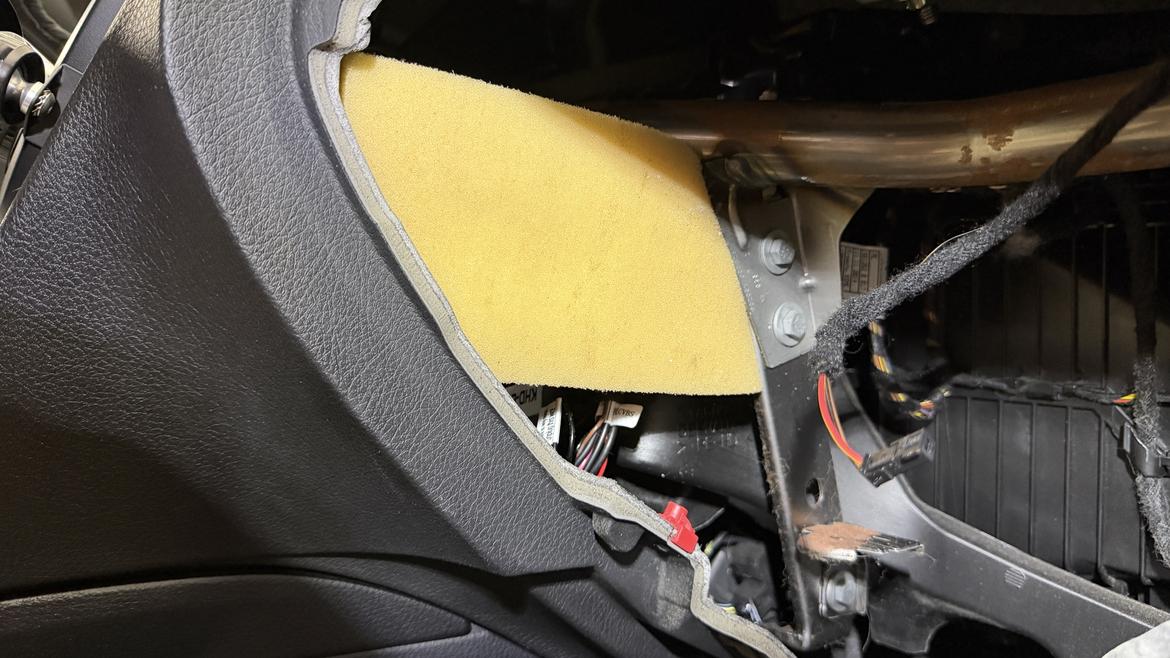
After zip-tying our harness up and tucking it into the space with the MMI, we added a piece of scrap foam cut to size to keep any rattles at bay.
After all the connections were made, our system fired up fine and worked as advertised. A long press on the BMW iDrive “Menu” button activates the MMI and gets you into a bespoke menu where you can set up the options for the system. Once you set the options to your liking, you can make it the default launch screen once the system boots up and it detects your phone. The system immediately switches to the BMW backup camera when you put the car in reverse, then switches seamlessly back to CarPlay in forward gears.
It’s not as cleanly integrated as a full OEM system–you still have to switch back to the BMW system with the long Menu button press to enter the stock trip computer functions, for example–but for less than $200 and a long afternoon of crawling around under the dash, it’s a darn good solution.
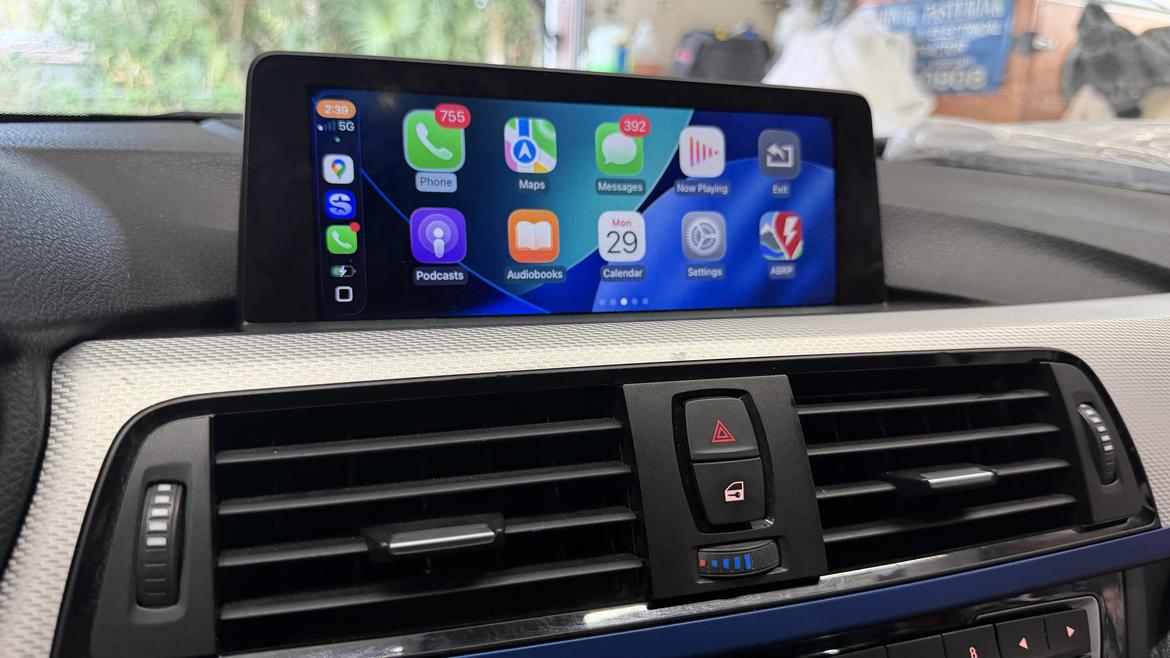
You also have to navigate the on-screen options with the iDrive wheel, as the factory BMW 8.8-inch monitor is not a touch screen, but that’s certainly not a dealbreaker as you can always just use your phone to input Google Maps or Waze directions.
So we’re happy with the upgrade and with the cost-and-effort equation. If you want to really go nuts and upgrade your pre-2016 NBT system to the NBT Evo system and have integrated CarPlay/Android Auto, that’s doable as well, albeit a bit more spendy.
The hardware fits in the same holes, and there are a few companies out there that can tackle the coding and sell you a ready-to-install kit, including a head unit and screen that replaces your NBT system with a CarPlay/Android-ready Evo setup. Plan on spending around $1000 or slightly more for an option like this, but the result is a fully integrated pre-2016 BMW that operates exactly like a 2016+ model.
That may be part of our plans, but for now we’re more than happy with our sub-$200 MMI box that adds a lot of utility to an already enjoyable car.

How easy is it to put CarPlay in an E36? Asking for a friend...

In reply to Austin Cannon :
I mean, if you turn your phone's volume loud enough, you can play music in your car.
And that's basically the same thing, right?

I skimmed through the photos and was immediately scared away. My 135i doesn't even have an infotainment screen, so I guess I'm safe anyway!
There are plenty of screens available that will give you CarPlay AND a backup camera for $40-$100.
https://www.amazon.com/dp/B0CDKMJDLD?ref=ppx_yo2ov_dt_b_fed_asin_title

If you decide to go earlier into the CIC IDrive I have been using a MR12Volt kit in my E92 M3 for a year and had no issues with my old Android phone. Just switched to the Iphone 17 and still works just as good as OEM. Also plus that it uses the same screen and us just a plug in. Still need to add a backup camera to it, next offseason project.

Glad to hear it went well. My son got a similar box for his GS350 that I suspect I’ll be called on to assist with the install. For the record, I am not a fan of pulling apart dash plastic, but I don’t guess that counts for anything.

After driving my F-type last night without Apple CarPlay, I didn't realize how dependent I was on it. This type of upgrade might be in order.

tcGT3 said:There are plenty of screens available that will give you CarPlay AND a backup camera for $40-$100.
https://www.amazon.com/dp/B0CDKMJDLD?ref=ppx_yo2ov_dt_b_fed_asin_title
Yeah I looked at these but I didn't want to have to find room for another screen on the dash. This is probably the simplest solution, though, if you have room for it.
Philacarguy2 said:I skimmed through the photos and was immediately scared away. My 135i doesn't even have an infotainment screen, so I guess I'm safe anyway!
The only truly frustrating part was not being able to figure out where that fastener holding the side of the glove in was. The rest of it is pretty straightforward, there's just a lot of stuff that needs to come out. I will say it all went back together with no broken tabs and no squeaks and rattles. The Germans build things complicated but in this case they seemed to come apart AND go back together the way they were designed.

I've done this on a few different cars. Generally if there is a infotainment screen there is a way to get carplay on it for anything popular. Its not really harder than more car audio work. If you can install a headunit or amp, you can do this. I think the biggest question these days is if its worth it to spring for a full android replacement. You usually get an upgrade screen along with a way to switch to a unit running full android so you get access to the app store for all the fun car and track apps, plus they usually have android auto and carplay.
Displaying 1-10 of 11 commentsView all comments on the GRM forums
You'll need to log in to post.